
Why your local business needs a Google Business Profile
What a Google Business Profile is, how the map pack and “near me” results work, and why it matters for every local business.
Read more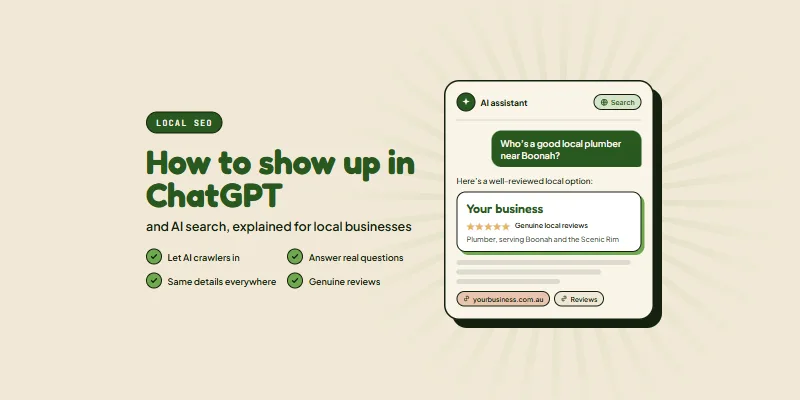
More of your customers are skipping the search bar and simply asking an AI tool. “Who’s a good electrician near Jimboomba?” “Where can I get my car serviced in Beaudesert?” If the answer names your competitor and not you, that is a job you never hear about.
This guide explains how to show up in ChatGPT and other AI search tools, in plain English. Most of it is work you can start this week, and none of it needs a computer science degree.
The short answer: let AI search crawlers read your website, make sure your pages clearly say what you do and where you do it, answer the questions customers really ask, and build a trustworthy footprint across the web through reviews, listings and mentions on other local sites.
There is no secret switch, and there is no form to fill in. AI tools build their answers from what they can find and trust about your business. Your job is to make that easy to find and easy to trust. The good news is that this is mostly good, old-fashioned search engine optimisation, done properly.
When someone asks ChatGPT a question that needs current information, it can search the web, read a handful of pages and write an answer, often with links to its sources. OpenAI uses a crawler called OAI-SearchBot for this. In its crawler documentation, OpenAI says sites that block it “will not be shown in ChatGPT search answers.”
It is not the only AI bot, though, and they do different jobs:
| Bot | What it does | Should you allow it? |
|---|---|---|
| OAI-SearchBot | Finds pages to show and link to in ChatGPT’s search answers | Yes, if you want to show up in ChatGPT |
| ChatGPT-User | Visits a page when a ChatGPT user asks about it | Yes, so ChatGPT can read your page when asked |
| GPTBot | Collects content that may be used to train OpenAI’s AI models | Your choice. Blocking it does not remove you from ChatGPT search |
Google’s AI Overviews and AI Mode work differently again. They are built on Google’s normal search index, and Google says plainly that “there are no additional requirements to appear in AI Overviews or AI Mode, nor other special optimizations necessary” (Google Search Central). Microsoft Copilot cites web pages too, and Bing Webmaster Tools now reports how often your pages appear in Copilot’s answers. So if you are invisible on Google and Bing, you will usually struggle to appear in AI answers too.
Your website has a small file called robots.txt that tells bots what they can and cannot read. You can see yours by adding /robots.txt to the end of your web address. Some website templates, security plugins and hosting firewalls block AI bots by default, sometimes without the owner knowing.
To be found in ChatGPT, OpenAI recommends allowing OAI-SearchBot in robots.txt and allowing requests from its published IP addresses. A simple version looks like this:
User-agent: OAI-SearchBot
Allow: /
User-agent: ChatGPT-User
Allow: /
OpenAI says it can take around 24 hours after a robots.txt change for its systems to catch up. If you are not comfortable editing this file, ask your web developer to check it, along with any firewall settings that might be quietly turning bots away.
AI search leans heavily on ordinary search. Set up Google Search Console and Bing Webmaster Tools (both free), submit your sitemap, and check that your important pages are indexed. If your business does not show up when you search for it by name, fix that first. Our guide on why a website is not showing up on Google walks through the usual causes.
AI tools match questions to clear statements. A home page that only says “quality service you can trust” gives them nothing to work with. Spell it out in plain words: “We are a family-run plumbing business in Boonah, servicing the Scenic Rim, specialising in hot water systems and blocked drains.”
This is where good website design pays off. A site built around clear service and location pages is easier for people and AI tools to understand.
People talk to AI tools the way they would talk to a person, in full questions. Pages that answer those questions directly are far more likely to be used in an answer. Write down the ten questions you hear most on the phone, then answer each one on your site.
AI tools cross-check what they read. If your website, Google Business Profile, Facebook page and directory listings show different phone numbers, addresses or business names, they have less reason to trust any of them. Pick one exact version of your name, address, phone number and opening hours, and use it everywhere.
Start with the big three listings: a complete Google Business Profile, Bing Places for Business and Apple Business Connect. Google’s guidance for AI features specifically mentions keeping your Business Profile information up to date, and Bing recommends Bing Places for the same reason.
When someone asks for a “good” or “recommended” local business, reviews are a big part of what an AI tool has to go on. BrightLocal’s 2026 survey found that 82% of consumers read AI-generated review summaries. Make asking for a review part of finishing every job, send a direct link, and reply to every review, good or bad. Never buy reviews or write fake ones. It is not worth the risk to your reputation.
AI tools pay attention to what other sites say about you, not just what you say about yourself. Local mentions build that picture over time:
Avoid anyone selling hundreds of links or “AI citations” for a flat fee. Quality and relevance beat volume every time.
Structured data, often called schema, is a small block of code that labels the facts on your page for machines: your business name, services, service area and FAQs. It helps search engines read your page accurately. Google is clear that there is “no special schema.org structured data” needed for AI features, but the structured data you do use should match what is visible on the page. Keep it accurate rather than trying to game it.
Bing says regular updates help “ensure AI systems reference the most current version” of your pages. Review your key pages every few months, update anything that has changed, and add new content when you have something useful to say. Bing also recommends IndexNow, a free way to tell search engines the moment a page changes.
Speed matters too. A slow or clunky site frustrates people and bots alike. This is a big part of why we build fast, lightweight headless websites through our website development work.
You do not need fancy software to get a feel for where you stand. Once a month, try this:
Write the results down. AI answers change from day to day, so look for the trend over a few months rather than reacting to a single answer.
Working out how to show up in ChatGPT and AI search is not about learning a separate trick. It is what happens when your website is clear, your details are consistent and other people vouch for you. That is exactly what our SEO work focuses on: local SEO, Google Business Profile optimisation and AI search visibility, explained without the jargon.
If your website is part of the problem, our website design service builds sites that people and AI tools can both understand. We are based in Beaudesert and work with businesses right across the Scenic Rim. Get in touch for a free, no-pressure quote, and we will tell you honestly where you stand.
The things Scenic Rim business owners ask us most about ChatGPT and AI search.
Got a question we have not covered? Have a chat with a local. We are happy to help, and there is never any pressure.
Get in touchMore local know-how to help you get online and get found.
What a Google Business Profile is, how the map pack and “near me” results work, and why it matters for every local business.
Read more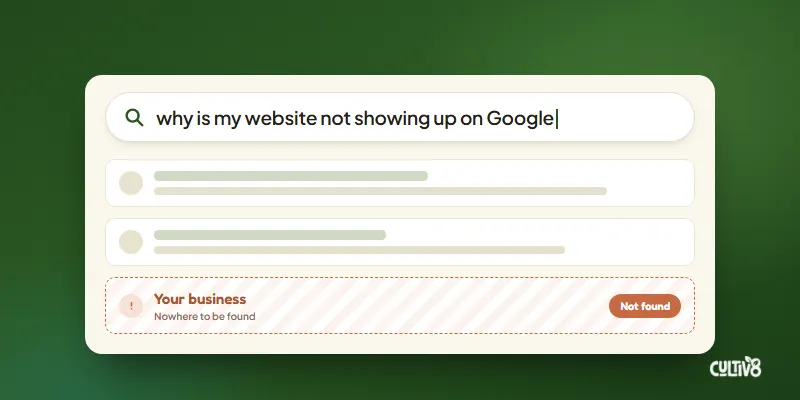
Can’t find your business when you search for it? Here are the 9 most common reasons a website does not show up on Google, and how to fix each one.
Read more
Tell us a little about your business and we will get back to you within one business day. No pressure, no jargon, just a friendly local crew ready to help you grow.
(07) 5516 0717